
Mastering Micro-Pavé CAD Design for Jewelry Stone Setting
Introduction
Micro-pavé might look like a subtle design detail, but in reality, it’s one of the most technically demanding aspects of jewelry CAD design. At first glance, it’s all about sparkle—tiny stones set closely together to create a continuous surface of brilliance. But behind that visual simplicity lies a complex balance of precision, structure, and production awareness.
What makes micro-pavé particularly challenging is that designs rarely fail because of one obvious mistake. Instead, the problems come from small, almost invisible CAD decisions. A slight inconsistency in spacing, a seat that’s just a bit too shallow, or stones that aren’t perfectly aligned on a curved surface—these issues don’t always show up on screen. But once the design moves into production, they quickly become real problems.
In micro pavé CAD design, every detail matters. If the CAD isn’t accurate, setters struggle to place stones, durability decreases, and production time increases. For businesses, that translates directly into higher costs and inconsistent quality.
This guide breaks down not just what micro-pavé is, but how to design it properly so it performs well in real-world manufacturing—not just in a render.
What Is Micro-Pavé in CAD Design?
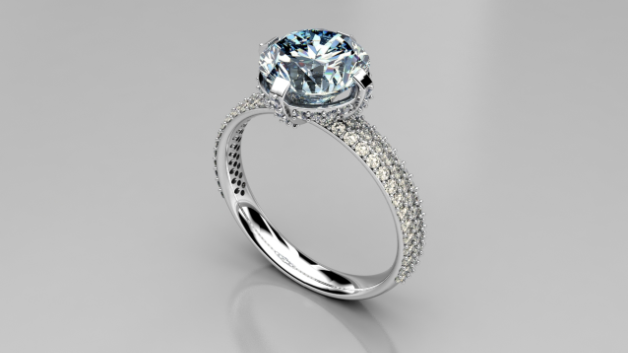
Micro-pavé in CAD refers to the process of placing very small stones—usually under 1.5mm—into a controlled and repeatable layout. The goal is to achieve a seamless, high-end look while ensuring that the design remains structurally sound and easy to produce.
On the surface, it might seem like a simple repetition of stone placement. In reality, it involves careful control of spacing, alignment, seat depth, and metal distribution. Each of these factors plays a role in how the final piece looks and performs.
The complexity increases significantly in CAD ring design. Unlike flat surfaces, rings introduce curvature, which affects how stones are spaced and perceived visually. A layout that appears perfectly aligned in a flat view can become uneven when wrapped around a band.
That’s why jewelry stone setting CAD requires both design thinking and engineering logic. It’s not just about placing stones—it’s about making sure they can actually be set, secured, and worn without issues.
Why Micro-Pavé CAD Designs Fail in Production
Even experienced designers run into issues with micro-pavé, especially when designs are created without considering real-world manufacturing constraints.
One of the most common problems is inconsistent stone spacing. While it may look acceptable in CAD, even slight variations become noticeable once the piece is magnified or physically produced. This not only affects the visual flow but also makes the setter’s job more difficult.
Another frequent issue is incorrect seat depth. If the seat is too shallow, the stone sits too high and becomes vulnerable to damage. If it’s too deep, the stone loses its brilliance and appears dull. Getting this balance right is essential for both aesthetics and durability.
Metal structure is another critical factor. Designers often reduce the amount of metal between stones to maximize sparkle, but this can weaken the entire piece. Over time, especially in rings, this leads to bending, breakage, or stones coming loose.
Overcrowded layouts create additional challenges. While tight spacing may look impressive in renders, it often makes the setting process more complicated. Setters need enough space to work with tools, and without that space, the risk of errors increases.
Finally, alignment issues on curved surfaces can significantly impact the final result. Stones that appear aligned in CAD may look uneven in real life due to perspective distortion. This is where many designs lose their professional finish.
How to Optimize Micro-Pavé CAD Design for Better Results
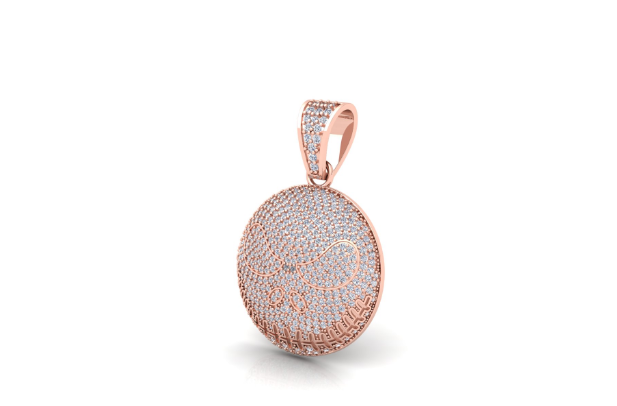
Improving micro pavé CAD design starts with a shift in approach. Instead of focusing purely on visual appeal, designers need to think in terms of production.
The first step is creating a precise and adaptable stone layout. Rather than placing stones manually without structure, it’s important to maintain consistent center-to-center spacing and adjust it based on the surface. This ensures both visual balance and technical accuracy.
Seat design is equally important. A well-designed seat supports the stone securely while maintaining its visual position. Proper bearing angles and proportional depth help ensure that stones remain stable over time.
Structural integrity should never be compromised for aesthetics. While it’s tempting to reduce metal for a cleaner look, maintaining sufficient thickness is essential for durability. This is especially true in high-stress areas like rings.
Another key factor is designing with the setter in mind. CAD models should allow easy access for tools and provide clear visibility of stone seats. When setters can work efficiently, the entire production process becomes smoother and more consistent.
Curvature compensation is also critical in CAD ring design. Spacing and alignment need to be adjusted to match the shape of the band. Without these adjustments, even technically correct designs can appear visually unbalanced.
Best Tools and Techniques for Micro-Pavé CAD Design
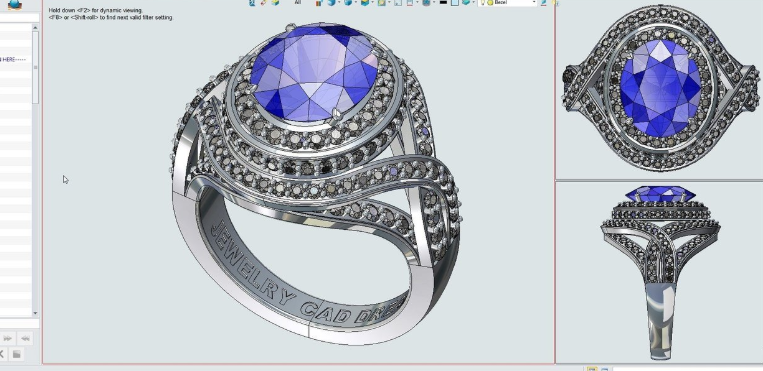
Professional designers rely on advanced tools to handle the precision required in micro-pavé. Software like Rhino and MatrixGold is widely used for its ability to create accurate stone layouts and parametric designs.
ZBrush is often used alongside these tools for more organic shapes, especially when working on complex surfaces. However, the effectiveness of these tools depends largely on how they are used.
Techniques such as parametric stone arrays help maintain consistency across the design, while manual refinement ensures that critical areas meet production standards. This combination of automation and manual control is what separates average designs from production-ready ones.
Choosing the right CAD software for jewelry design is important, but understanding how designs behave in manufacturing is even more critical.
A Production-Ready Workflow That Saves Time and Cost
Traditional workflows in jewelry design often involve creating a model, sending it to production, identifying issues, and then revising the design. This cycle can repeat multiple times, leading to delays and increased costs.
A more efficient approach focuses on validation during the design stage. By identifying and correcting potential issues early, designers can reduce the need for revisions and ensure smoother production.
This is particularly valuable for businesses offering 3D CAD design services, where consistency and efficiency are key to scaling operations.
For a deeper understanding of how production-ready CAD improves outcomes, you can explore this resource:
https://thecadmaker.com/production-ready-jewelry-cad
Why Choose The CAD Maker for Micro-Pavé CAD Design?
Micro-pavé issues usually don’t start in production—they start in CAD. That’s why at The CAD Maker, the focus isn’t just on how a design looks, but how it performs in real manufacturing.
Each micro pavé CAD design is created with precise spacing, accurate seat depth, and strong metal structure to ensure smooth stone setting and long-term durability. Instead of trial and error, the goal is simple—get it right the first time.
With strong expertise in jewelry stone setting CAD, The CAD Maker delivers designs that reduce errors, improve setting efficiency, and maintain consistent quality across production.
If you’re facing issues like loose stones or uneven layouts, the solution starts with better CAD:
https://thecadmaker.com/production-ready-jewelry-cad
Why Expertise Matters in Jewelry CAD
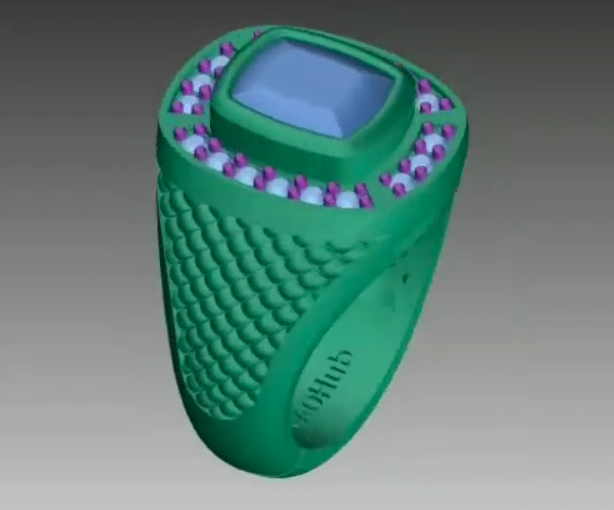
Micro-pavé design requires more than just technical knowledge of CAD software. It demands real-world experience with stone setting, an understanding of material behavior, and awareness of manufacturing limitations.
In this field, theoretical knowledge alone isn’t enough. Practical expertise is what ensures that designs not only look good but also function properly in production
Frequently Asked Questions
What is micro pavé CAD design?
It is the process of creating precise stone layouts in CAD for small stones, ensuring both visual consistency and production feasibility.
Why do micro pavé designs fail?
They typically fail due to spacing inconsistencies, weak metal structure, incorrect seat depth, and alignment issues on curved surfaces.
Which CAD software is best for jewelry design?
MatrixGold and Rhino are among the most widely used tools due to their precision and flexibility.
Can micro pavé design be automated?
Automation can assist with layout, but manual adjustments are still necessary for production-ready results.
What is the ideal spacing for micro pavé stones?
It usually ranges between 0.10mm and 0.20mm, depending on the stone size and design requirements.
Final Thoughts
Micro-pavé may appear to be a small design element, but it has a significant impact on both the visual quality and structural performance of a jewelry piece. Every decision made during the CAD process—from spacing to seat depth—affects how the final product looks, feels, and performs.
A well-executed micro pavé CAD design ensures that stones are secure, the setting process is efficient, and the final piece maintains its integrity over time. It bridges the gap between digital design and real-world production.
In the end, successful jewelry design isn’t just about creating something that looks beautiful on screen. It’s about creating something that works flawlessly in reality.
